My First Agentic Remote Setup

I have been working with AI – Machine Learning – and more recently, Large Language Models for quite some time now. Especially over the last couple of years, I have experimented with many different kinds of AI systems, ranging from simple chatbot interfaces to RAG systems, fully-fledged LLM-powered applications, coding assistants, and everything in between. Of course, with the advent of truly agentic systems such as OpenClaw, I have also dabbled with AI-powered agents and even tried to build my own harness.
Driven by curiosity and two larger software development projects heavily reliant on Claude Code, I decided to build my first “serious” 24/7 remote agentic (development) setup. The basic idea is simple: I want a remote machine that is always available and that I can interact with from wherever I am. I do not want to keep my main machine running just because an agent might need to continue working on something. I also do not want to walk around with an open laptop just to check whether a coding assistant has finished a task.
In this article, I want to briefly introduce my current setup – both as documentation for myself and as inspiration for others. That said, I am still very much in experimentation mode, and I consider this a first version that, for now, solves a lot of my problems.
The Current Setup and Workflows
At the moment, my setup, which is currently primarily used for coding, is mainly built around three components – Hermes as the primary agent, Claude Code as the coding agent, and a remote VS Code as the IDE. Everything, except locally-hosted models, is running on a cheap VPS with two cores and four GB of RAM running Ubuntu Server. It’s enough for everything I am doing; this does not have to be more complicated than it needs to be.
The actual administration and configuration of the system are done via Hermes and Claude Code. It’s extremely risky; I do not recommend doing it, but in the name of experimentation, I am doing it.
Compute/Inference/Intelligence
When it comes to the actual LLMs powering everything, I rely on multiple sources of compute/inference/intelligence, depending on the task and the interface. For general tasks and the core agent (Hermes), I rely on OpenAI (e.g., GPT-5.5) and I experiment with self-hosted models – because I believe in them. For coding tasks, despite wanting to go all in on open models and harnesses, I still heavily rely on Claude Code and Anthropic’s Sonnet/Opus/Fable combo. For some (highly limited) work-related tasks, I use the fantastic KI-Inferenz.nrw service.
The Agent – Hermes
The primary agent, which also manages the knowledge base and system administration (via Claude Code), is Hermes. By now, a number of agents, heavily influenced by OpenClaw, are on the market. After testing a few, Hermes, which I interact with through Telegram, feels the most polished and most useful. It is not in my way, it is great at scheduling and delegation, and it is great at building skills (well, Markdown files), for itself based on my input. For example, I handed it my post on my TodayIngoLearned skill, and I just picked it up without any more questions.
My use cases – my actual, not agent hype use cases – are quite limited, but they actually support me. I use Hermes to schedule tasks (e.g., running Claude Code at night to leverage token availability), to send me briefings on work-related topics, to do research and drafting tasks, and as a glorified notebook.
While I also use Hermes Web UI, from time to time, I have Hermes just vibecode interfaces, dashboards, etc. that I need. The whole idea of “Mission Control” with fancy dashboards, a Tony Stark-esque aesthetic, etc., is somewhat cool, but I don’t see any actual value beyond that.
The Knowledge Base
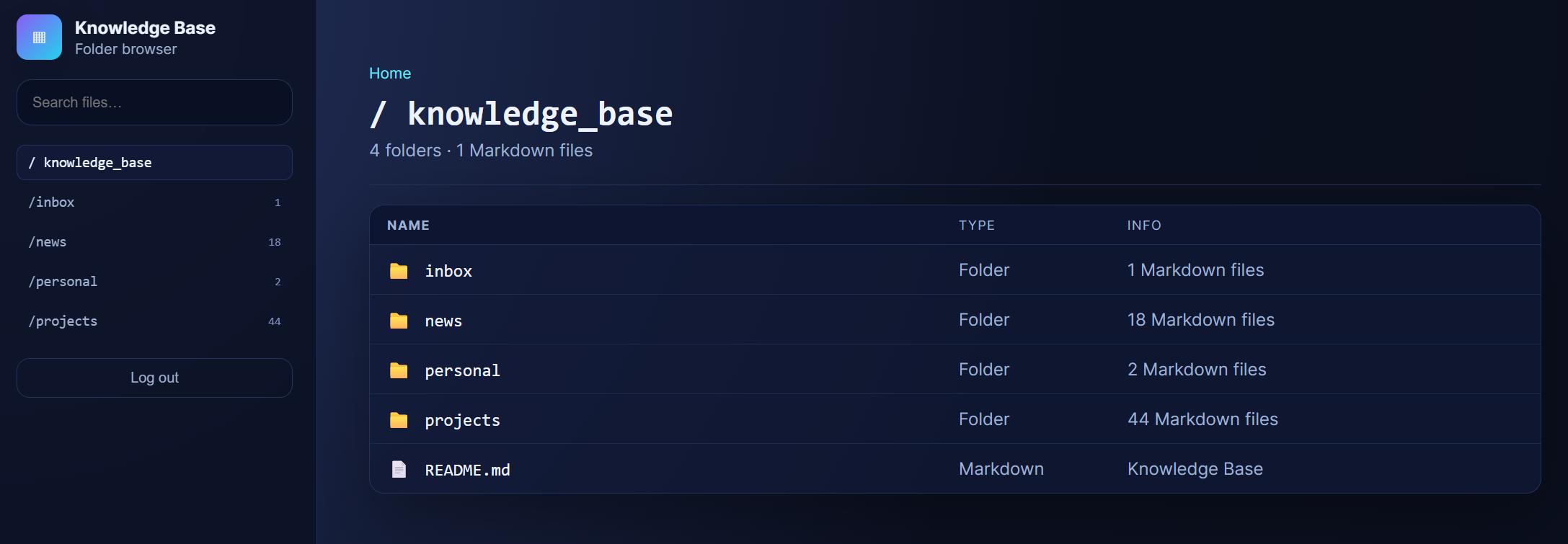
Aside from Hermes’ own files and memory, I have it manage a knowledge base for me. The knowledge base, following the paradigm known from, e.g., Obsidian, is just a folder with subfolders and Markdown files. This works extremely well, and Hermes has no problem maintaining it. To make accessing it a little easier, I had Hermes vibe a simple UI.
The Coder – Claude Code
As I said above, Claude Code is my coding agent and harness of choice. I heavily rely on Claude’s Remote Control and so far it has been fantastic.
screen -d -m claude remote-control --name "UniAiKit agent.ingokleiber.de"
I run it, very oldschool, in a screen session and I can just spawn new sessions from any device with a browser. It’s as simple as it gets.
Having the coding agent on a VPS also allows me to easily deploy development versions, testing environments, etc., directly. Hermes is also great at doing this: Within minutes, applications can be deployed, NGINX can be configured, and Let’s Encrypt certificates can be acquired.
The IDE – VS Code
Call me old school, but I still want to see the actual code before committing – at least sometimes. Following the theme of simple and solid, I rely on a Visual Studio Code Server that I can access from my local VS Code but also via vscode.dev.
This allows me to bring my established workflows to my agentic setup – independently of where I am working from.
Additional Services Running on the Machine
Aside from these three core components, I have a series of services that I deploy when needed. A very useful one is File Browser, which is a web based file browser that allows me to easily access the file system.
Trust and Security
This whole setup is, from a security perspective, uncomfortable. To be very clear: I fully expect this machine to be compromised at some point. We will see whether this will happen from within or via an external actor first.
Why, you ask? Well, because I have an LLM administrate this machine and because I have about ten remote shells with elevated privileges pointing towards the open Internet. As a cherry on top, I expose the whole filesystem via a web application.
Aside from regular hardening, e.g., good SSH authentication, fail2ban, decent logging, etc., I follow a few principles:
- All API keys on the machine are limited, and losing them will not result in a major (financial) risk.
- The machine does not hold any code that’s not (going to be) on GitHub anyway.
- The knowledge base does not contain any sensitive information that would compromise me or anyone else. I don’t want it to become public, but it wouldn’t be a big deal.
- Services that I don’t regularly need are only available via an SSH tunnel.
- It won’t take me long to reset if the system gets compromised.
- I have not (yet) given the agent access to any critical or highly sensitive systems outside of itself. Getting compromised would only lead to a very limited incident, given all of my services and accounts.
- I try to detect any compromise as soon as possible, and I am willing to nuke the whole system without thinking twice.
While this limits what I can do, these simple principles allow me to do real-world things that are actually helpful to me without worrying too much or compromising my user experience.
As an aside: You can absolutely build a remote agentic setup that is a lot more secure than this. A simple yet effective “patch” would be to not expose any services openly. Put everything behind a VPN/tunnel, and most non-LLM-related issues will go away quickly. In such a scenario I would also feel more comfortable providing the agent (read) access to, for example, my email or calendar.
That said, I purposefully wanted to build something that is hassle-free and allows me to do things like spin up a new application on a public URL without thinking too much.
Conclusion (For Now)
This setup is still very much experimental, but that is also the point. It gives me a practical environment for learning, testing, and refining agentic workflows while already being genuinely useful in my day-to-day work.
From a security perspective, it is intentionally far from perfect. I am accepting a reasonably insecure setup because the risks are bounded according to my own threat and risk model: limited credentials and impact, non-critical data, and a disposable infrastructure.
The biggest takeaway so far is simple: running an agentic system on an always-available VPS feels like a major step up from running agents locally. It turns agents into infrastructure I can actually rely on, access from anywhere, and integrate into new workflows seamlessly.

Thank you for visiting!
I hope, you are enjoying the article! I'd love to get in touch! 😀
Follow me on LinkedIn